

QualForge
VALIDATION LIFECYCLE MANAGEMENT
Validation, made clear.
Keep client work, requirements, tests and approvals connected in one cloud-based workspace.
QualForge is being developed for validation consultants, service providers and regulated teams managing work across multiple clients and systems.
Under active development and verification. Preview applications are currently closed; access is by invitation.
Less time reconstructing the story.
When every client uses different documents, tools and review chains, the challenge is keeping the relationships intact. Which requirement does this test cover? Who needs to review it? What evidence belongs in the final package?
QualForge brings the work and its context together, so teams can follow the validation chain and see what still needs attention.
From client context to the next action
Connected Workspace
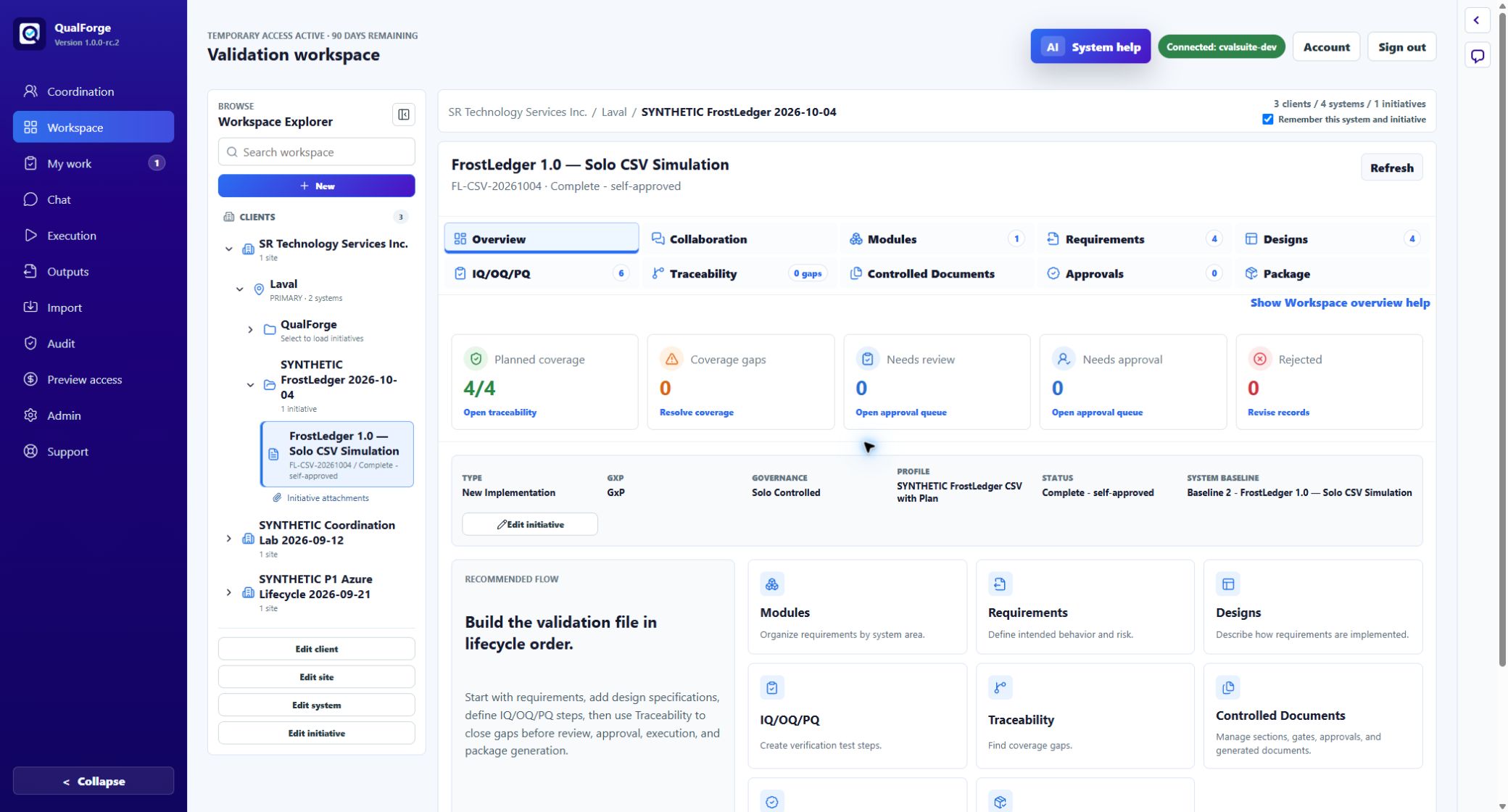
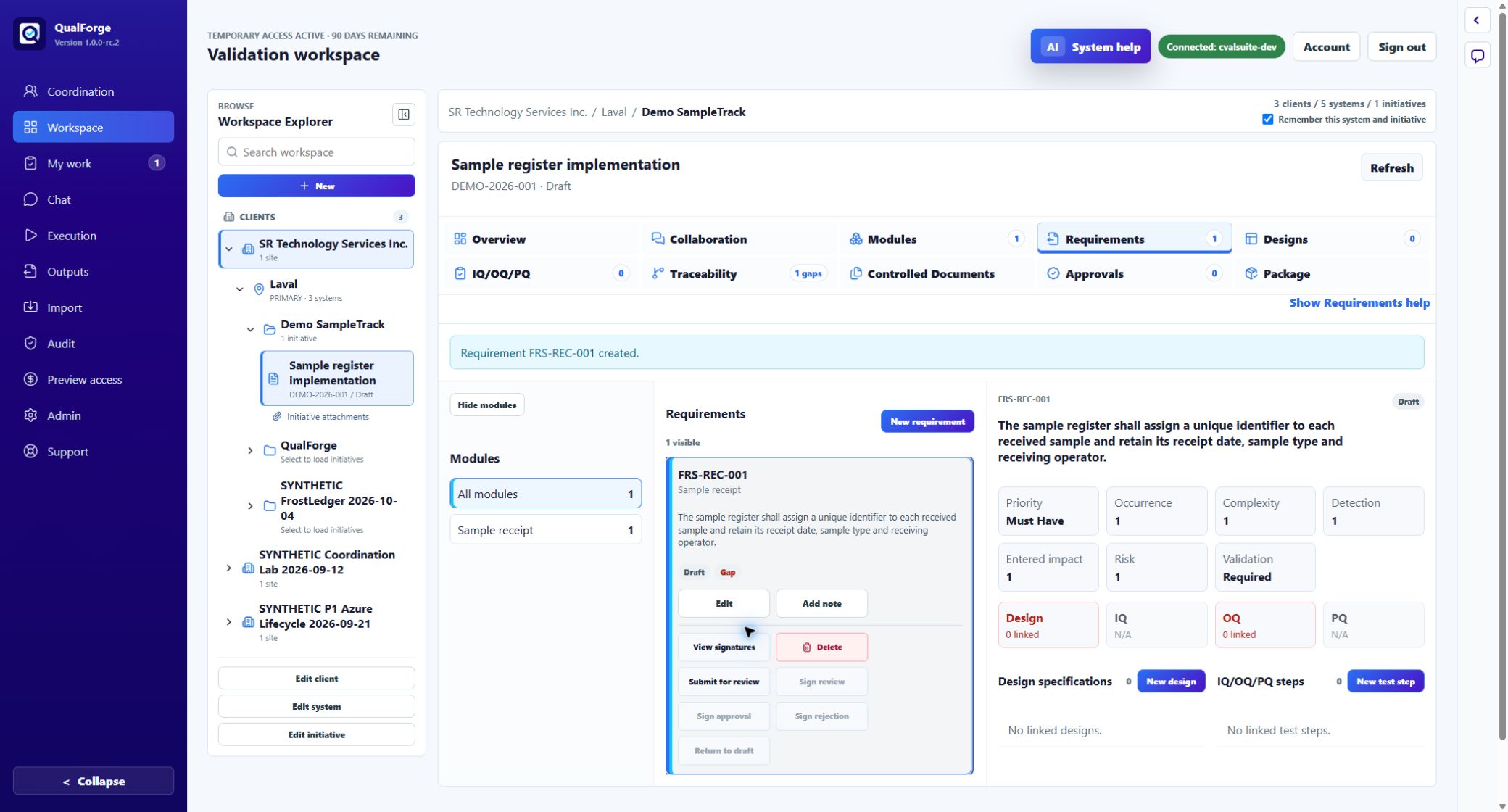
Organize work by client, site, system and initiative. Keep the selected engagement beside requirements and their linked designs and qualification tests.
My Work
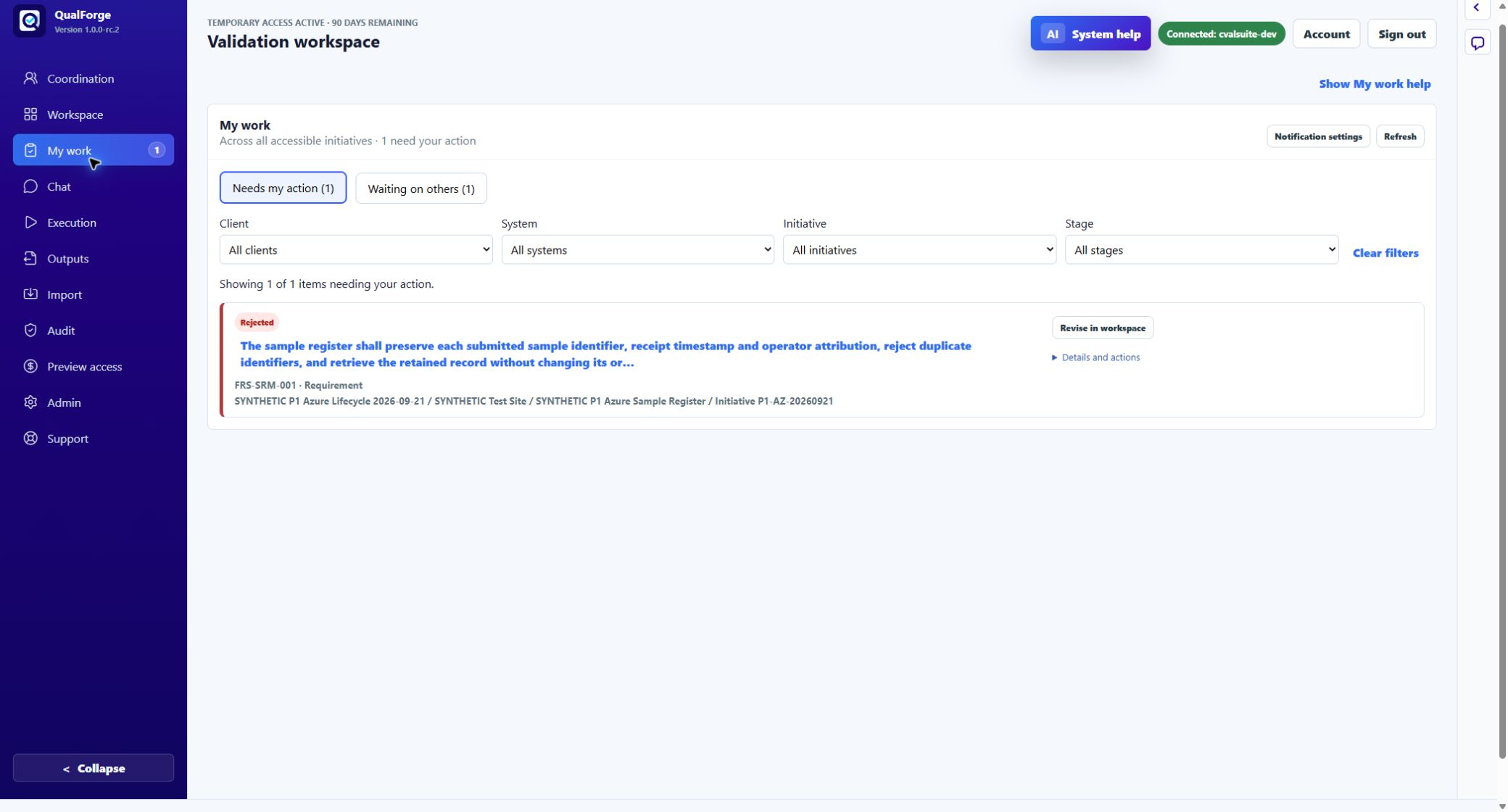
Separate work that needs your action from work waiting on others. Filter by context and open the record for the applicable review or approval.
Coordination
See outstanding work and the responsible role across accessible initiatives. Open the document, continue in Workspace or discuss the same record.
Traceability
Follow requirements through design, tests, execution, evidence and package coverage. Distinguish authoring readiness from execution and evidence still to come.
A look inside QualForge
Development screenshots using demonstration data. These examples illustrate the interface and do not represent completed product validation. Select an image to view it at full size.
A connected validation workspace
Start with a clear requirement
Know what needs your attention
Build toward a reviewable handover
The intended lifecycle connects approved source records, test results and supporting history through delivery:
- Define and approve: establish requirements, designs and tests within the initiative scope.
- Execute and record: capture results and supporting evidence with the work.
- Resolve and review: retain failures, document deviations and follow approved retest decisions.
- Prepare the package: check readiness and bring together controlled records, evidence, signatures and decision history.
Exact outputs depend on the initiative, approved records and configuration. The brochure illustrates the workflow and shows development screenshots; it does not represent completed validation.
Current stage: internal alpha
October 2026. QualForge is under active development and verification. Preview applications are currently closed while we prepare the first invited group and continue testing and refining the platform.
External access remains subject to approval. Production use and regulated customer data use are not yet authorized. Preview participation is intended to help us understand usability and workflow fit.
Explore independently. Tell us where you get stuck.
We want to learn how far validation professionals can get using QualForge on their own, with the onscreen guidance and the User and Administrator manuals in Support.
The self-guided preview focuses on usability and whether the workflow fits participants’ business processes. Selected participants will receive their invitation and access details directly.
See the workflow in the brochure
Six pages covering connected client work, My Work, Coordination, traceability and the intended handover workflow.
Open or download the QualForge brochure
Version 1.8 · October 6, 2026 · PDF, approximately 2 MB. Preview applications are currently closed.
Built by SR Technology Services Inc.
QualForge is developed and operated by SR Technology Services Inc., founded by Stephane Ricard. The company brings three decades of experience in IT, regulated systems, validation, data migration and delivery to the problems the platform is designed to solve.

